




 Call Center 1500711

Transaction Security Tips
Transaction Security Tips
In order to protect all forms of banking transactions conducted by customers of Bank Sumsel Babel, we urge customers to be vigilant and increase awareness of transaction security with a number of security banking transaction tips.
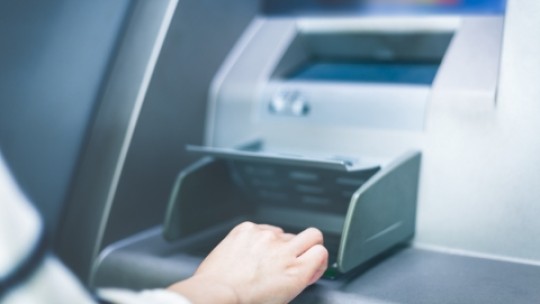
- Not revealing the PIN number to anyone, even to family or close friends.
- Avoid writing down your PIN anywhere let alone keeping it in your wallet
- Trying to prevent others from seeing your PIN is by closing your finger when you press the PINPAD button or when you enter your PIN.
- Change the PIN periodically with a unique combination of numbers that is difficult for others to guess.
- Beware of fraudulent attempts from individuals who claim to be Bank officers via telephone, email asking for personal data, including PIN numbers.
- Bank officer will not ask or ask for your PIN number.
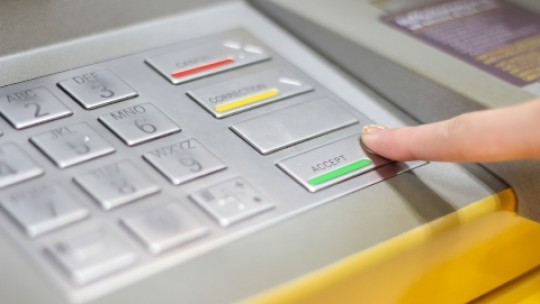
- Changing ATM PIN regularly
- Don't serve those who offer help in the ATM room
- Do not lend ATM cards and tell other people your PIN (bank officers never ask for a PIN from customers)
- Close the pinpad button by hand when entering the PIN to the ATM
- If you have difficulty at the ATM, immediately contact the official Call Center of Bank Sumsel Babel at 1500711
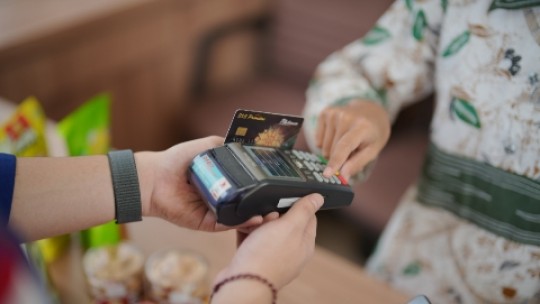
- Check the transaction value entered by the cashier on the EDC machine
- Always follow the whereabouts of the card
- Cover by hand when input PIN on pinpad
- Get your Sumsel Babel Bank Debit card back
- Don't tell your PIN to other people including bank officers or family
- If you have difficulty transacting at EDC, please contact the official Call Center of Bank Sumsel Babel at number 1500711

- Double swipe / double swipe is swiping a Credit or Debit card at the cash register, after making a payment via the EDC machine.
- Bank Indonesia prohibits swiping cards on cash registers because data misuse by the authorities can occur. It is enough to swipe only once on the EDC machine.
- How to avoid double swipe, before paying, ask the cashier whether to swipe your debit/credit card at the cash register.
- Prevent transactions when the merchant cashier swipes a credit card or debit card on the cash register.
- Report it, if a double swipe has already occurred, report it immediately to the Sumsel Babel Bank Call Center for follow-up.

For your convenience and security in making transactions on Bank Sumsel Babel Internet Banking, here are some tips to pay attention to:
- Make sure you access Bank Sumsel Babel Internet Banking through the website address of Bank Sumsel Babel Personal Internet Banking at https://ibank.banksumselbabel.com and Bank Sumsel Babel Corporate Internet Banking at https://ibank.banksumselbabel.com/corporate, or access the page Internet Banking via the internet banking link from the official website of Bank Sumsel Babel, namely https://banksumselbabel.com.
- Check the SSL certificate to ensure that you received the valid SSL certificate that was registered.
- Make sure that your browser has a lock/key image indicating that the page you are currently accessing is encrypted using SSL. If you don't see the lock/key image, please log out.
- Make sure that you are logged out when you leave your computer even for a moment.
- You should not access Bank Sumsel Babel's internet banking in internet cafes or networks where the security cannot be ensured.
- Beware of fraudulent attempts from persons who claim to be bank officers/bank officers via telephone, fax or e-mail, who ask for personal data, including Internet Banking PIN and MPIN. Because Bank officers will not ask or ask for a PIN number.
- Changing the Account Password periodically with a unique combination of letters and numbers that is difficult for others to guess.
- Check the list of transfer destination accounts regularly. You can delete destination accounts that are no longer needed.
- When making a transfer transaction, make sure that the name and account number of the recipient of the transfer is correct.
- Maintain the secrecy of the M-PIN code received via SMS for transaction confirmation, and do not share this code with other people.

Phishing is a method of fraud by certain parties to obtain confidential customer information such as User ID and PIN. Some phishing attempts include:
- Create a fake site that has an address and appearance similar to the bank's official website.
- Sending a URL link to a site that is made as closely as possible to the bank's official website but turns out to be fake.
- Sending emails or SMS containing URL links or login pages and asking customers to log in by entering their User ID and PIN
- Pretending to be someone from the Bank and asking for customer data for certain reasons.

- Make sure you access Bank Sumsel Babel's Internet Banking via the website address for Bank Sumsel Babel's Personal Internet Banking at https://ibank.banksumselbabel.com and Bank Sumsel Babel's Internet Banking Corporate at https://ibank.banksumselbabel.com/corporate.
- To avoid mistakes in writing Internet Banking site addresses, save the site address in the favorites or bookmarks menu, so that in the future if you want to access Bank Sumsel Babel Internet Banking, simply select it from the favorites or bookmarks menu, or you can directly visit the official website of Bank Sumsel Babel then select Internet Banking service.


